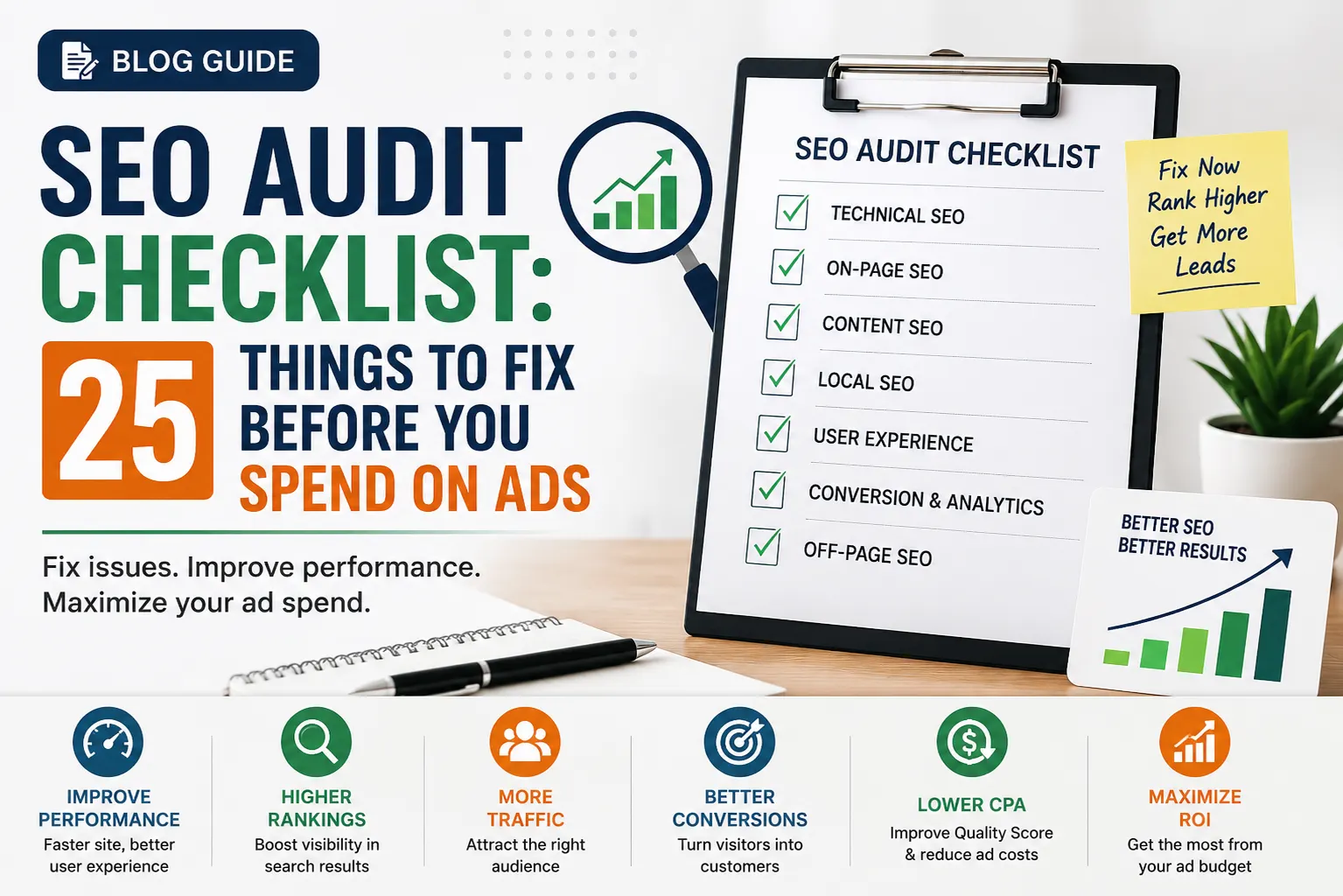
Many businesses jump straight into Google Ads hoping for immediate leads and sales. While paid advertising can generate traffic quickly, sending visitors to a website with SEO issues is like pouring water into a leaking bucket.
If your website has technical errors, slow-loading pages, poor content, broken links, or weak conversion paths, every advertising dollar becomes less effective.
Before increasing your marketing budget, conduct a comprehensive SEO audit to ensure your website is fully optimized for both users and search engines.
This SEO Audit Checklist covers 25 critical areas that should be fixed before investing heavily in paid advertising. By addressing these issues first, you’ll improve organic visibility, increase conversion rates, and maximize your advertising ROI.
Why Conduct an SEO Audit Before Running Ads?
Many business owners view SEO and PPC as separate strategies. In reality, they work best together.
A website optimized for SEO typically provides:
- Faster loading times
- Better user experience
- Higher conversion rates
- Improved website credibility
- Lower bounce rates
- Better Quality Scores in Google Ads
- Reduced cost per acquisition (CPA)
An SEO audit helps identify weaknesses that could be costing your business traffic, leads, and revenue.
Technical SEO Checklist
Technical SEO forms the foundation of your website’s performance.
1. Check Website Indexability
Ensure search engines can crawl and index your important pages.
Review:
- Indexed pages
- Blocked pages
- Robots.txt configuration
- XML sitemap accuracy
Use Google Search Console to identify indexing issues.
2. Verify HTTPS Security
Google prioritizes secure websites.
Check that:
- SSL certificate is active
- All pages load securely
- No mixed-content warnings exist
Security issues can negatively impact rankings and user trust.
3. Fix Crawl Errors
Look for:
- 404 errors
- Soft 404 pages
- Redirect loops
- Server errors
These issues waste crawl budget and create poor user experiences.
4. Improve Site Speed
Page speed directly affects rankings and conversions.
Review:
- Largest Contentful Paint (LCP)
- First Input Delay (FID)
- Interaction to Next Paint (INP)
- Cumulative Layout Shift (CLS)
Compress images, leverage caching, and minimize scripts.
5. Optimize Mobile Experience
Google uses mobile-first indexing.
Verify:
- Responsive design
- Mobile usability
- Readable fonts
- Proper spacing
- Fast mobile loading
Over 60% of web traffic now comes from mobile devices.
6. Check Core Web Vitals
Core Web Vitals influence user experience and search performance.
Focus on:
- Loading performance
- Visual stability
- Responsiveness
Fix failing URLs before investing in paid campaigns.
7. Audit XML Sitemap
Your sitemap should:
- Include important pages
- Exclude low-value pages
- Update automatically
- Be submitted to Google Search Console
A clean sitemap improves crawl efficiency.
8. Review Robots.txt
Ensure you’re not accidentally blocking valuable content.
Common mistakes include blocking:
- Service pages
- Blog posts
- Category pages
One incorrect directive can impact rankings significantly.
On-Page SEO Checklist
Once technical foundations are strong, optimize individual pages.
9. Optimize Title Tags
Each page should have:
- Unique title tags
- Primary keyword placement
- Clear search intent alignment
- Appropriate length (50–60 characters)
Titles remain one of the strongest on-page ranking factors.
10. Improve Meta Descriptions
While not a direct ranking factor, meta descriptions affect CTR.
Best practices:
- Include target keywords
- Keep under 160 characters
- Highlight value propositions
- Include action-oriented language
11. Audit Heading Structure
Use a logical hierarchy:
- One H1
- Relevant H2s
- Supporting H3s
Proper headings improve readability and search engine understanding.
12. Check Keyword Targeting
Each page should focus on a primary topic.
Avoid:
- Keyword cannibalization
- Overlapping content
- Multiple pages targeting identical terms
Keyword clarity improves rankings.
13. Optimize Images
Review:
- File size
- Alt text
- Descriptive filenames
- Modern formats (WebP)
Image optimization improves both SEO and site speed.
14. Improve Internal Linking
Internal links help:
- Distribute authority
- Improve navigation
- Guide users through the buyer journey
Every important page should receive internal links.
15. Fix Duplicate Content
Duplicate content can confuse search engines.
Check for:
- Multiple URL versions
- Similar service pages
- Copied content
- Parameter-based duplicates
Use canonical tags when necessary.
Content SEO Checklist
Content remains one of the most important ranking factors.
16. Evaluate Content Quality
Ask:
- Does the content solve a real problem?
- Is it comprehensive?
- Is it current?
- Does it demonstrate expertise?
Thin content often underperforms regardless of advertising spend.
17. Update Outdated Pages
Refresh older content with:
- New statistics
- Recent examples
- Updated screenshots
- Expanded insights
Content freshness can improve rankings and conversions.
18. Identify Content Gaps
Look for missing topics your audience searches for.
Examples:
- FAQs
- Industry trends
- How-to guides
- Case studies
- Comparison content
Content gaps represent untapped traffic opportunities.
19. Strengthen E-E-A-T Signals
Google values:
- Experience
- Expertise
- Authoritativeness
- Trustworthiness
Include:
- Author bios
- Credentials
- Case studies
- Client testimonials
- Trust badges
20. Optimize for Search Intent
A page ranking for the wrong intent rarely converts.
Match content to:
- Informational searches
- Commercial research
- Transactional intent
- Local intent
Intent alignment boosts rankings and conversions.
Local SEO Checklist
Critical for businesses serving specific geographic areas.
21. Optimize Google Business Profile
Ensure:
- Accurate contact information
- Updated business hours
- Services listed
- Images uploaded
- Regular posts published
Google Business Profile often drives local leads directly.
22. Audit NAP Consistency
Your:
- Name
- Address
- Phone Number
Should be identical across all directories and citations.
Consistency builds trust with search engines.
23. Improve Local Landing Pages
Create optimized pages for:
- Service areas
- Cities served
- Local keywords
Well-optimized local pages often outperform generic service pages.
Conversion Optimization Checklist
Traffic without conversions wastes marketing budget.
24. Review Calls-to-Action (CTAs)
Every page should guide visitors toward action.
Examples:
- Schedule a consultation
- Request a quote
- Contact us
- Book a demo
Strong CTAs improve conversion rates significantly.
25. Track Analytics and Conversions
Before spending on ads, verify:
- Google Analytics setup
- Conversion tracking
- Form submissions
- Phone call tracking
- Goal configurations
Without accurate data, optimization becomes guesswork.
Common SEO Problems That Waste Ad Spend
Businesses often invest in advertising while dealing with:
- Slow websites
- Broken pages
- Weak content
- Poor mobile usability
- Duplicate content
- Missing tracking
- Technical SEO issues
These problems increase advertising costs and reduce campaign effectiveness.
How an SEO Audit Improves Advertising ROI?
When your website is optimized:
- Quality Scores improve
- Cost-per-click decreases
- Conversion rates increase
- Bounce rates decline
- Organic traffic grows
- Lead quality improves
The result is better performance from every marketing channel.
Why Businesses Choose Caprus Inc. for SEO Audits?
At Caprus Inc., we help businesses uncover hidden SEO issues that limit growth.
Our comprehensive SEO audits evaluate:
- Technical SEO
- On-page optimization
- Content performance
- Local SEO
- Conversion optimization
- User experience
- Competitor opportunities
Rather than providing generic reports, we deliver actionable recommendations that directly impact traffic, leads, and revenue. Whether you’re planning to launch Google Ads, improve organic visibility, or scale your digital marketing efforts, an SEO audit provides the foundation for sustainable growth.
Visit Caprus Inc. to learn how our SEO experts can help identify opportunities and maximize your marketing investment.
Final Thoughts
Running ads without first auditing your website can lead to wasted budget and missed opportunities. This SEO Audit Checklist provides a practical framework for identifying technical issues, content gaps, and conversion barriers before investing in paid traffic.
By addressing these 25 areas, you’ll build a stronger website, improve user experience, increase organic visibility, and generate better results from every advertising dollar spent. Before spending more on traffic, make sure your website is ready to convert it.
FAQs
What is an SEO audit checklist?
An SEO audit checklist is a structured process used to evaluate a website’s technical SEO, on-page optimization, content quality, user experience, and conversion readiness. It helps identify issues that may prevent higher rankings and better performance.
How often should I perform an SEO audit?
Most businesses should conduct a comprehensive SEO audit every 3–6 months. High-growth websites or competitive industries may benefit from quarterly audits.
Can SEO audits improve Google Ads performance?
Yes. SEO audits often uncover issues affecting page speed, user experience, and conversion rates. Fixing these issues can improve Google Ads Quality Scores and lower advertising costs.
What tools are used during an SEO audit?
Common SEO audit tools include Google Search Console, Google Analytics, Screaming Frog, SEMrush, Ahrefs, PageSpeed Insights, and GTmetrix.
What is the most important part of an SEO audit?
Technical SEO is often the starting point because crawlability, indexing, site speed, and mobile usability directly impact rankings and user experience.
Why should I hire Caprus Inc. for an SEO audit?
Caprus Inc. provides detailed SEO audits with actionable recommendations covering technical SEO, content optimization, local SEO, user experience, and conversion improvements to help businesses achieve measurable growth.